Hi Robina,
Here are some solutions to try.
First, check internet connectivity. Open another browser tab or window, and verify that you can connect to and use sites other than the labs.
Next, use a site like https://www.speedtest.net/ to test network bandwidth and latency. The labs usually work well when latency is 100 ms of less. For bandwidth, Skillable says "The minimum Speed for labs is 200kbps up and down consistent/1mbps burst, Per user."
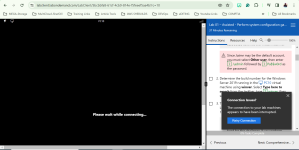
If internet connectivity is fine, but the labs are still disconnecting, there are other things to check. Firewalls, proxy servers, and VPNs can cause disconnects or excessive latency. Follow these troubleshooting steps to solve the lab connectivity issues.
I hope that helps.
This site uses cookies to help personalise content, tailor your experience and to keep you logged in if you register.
By continuing to use this site, you are consenting to our use of cookies.



 ing
ing